MenuFacil QR Digital Menu SaaS for Restaurants
A restaurant builds its digital menu, prints its QR codes and serves its tables from one place.
- Restaurant software
- Product design and engineering
- In continuous evolution
01 Summary
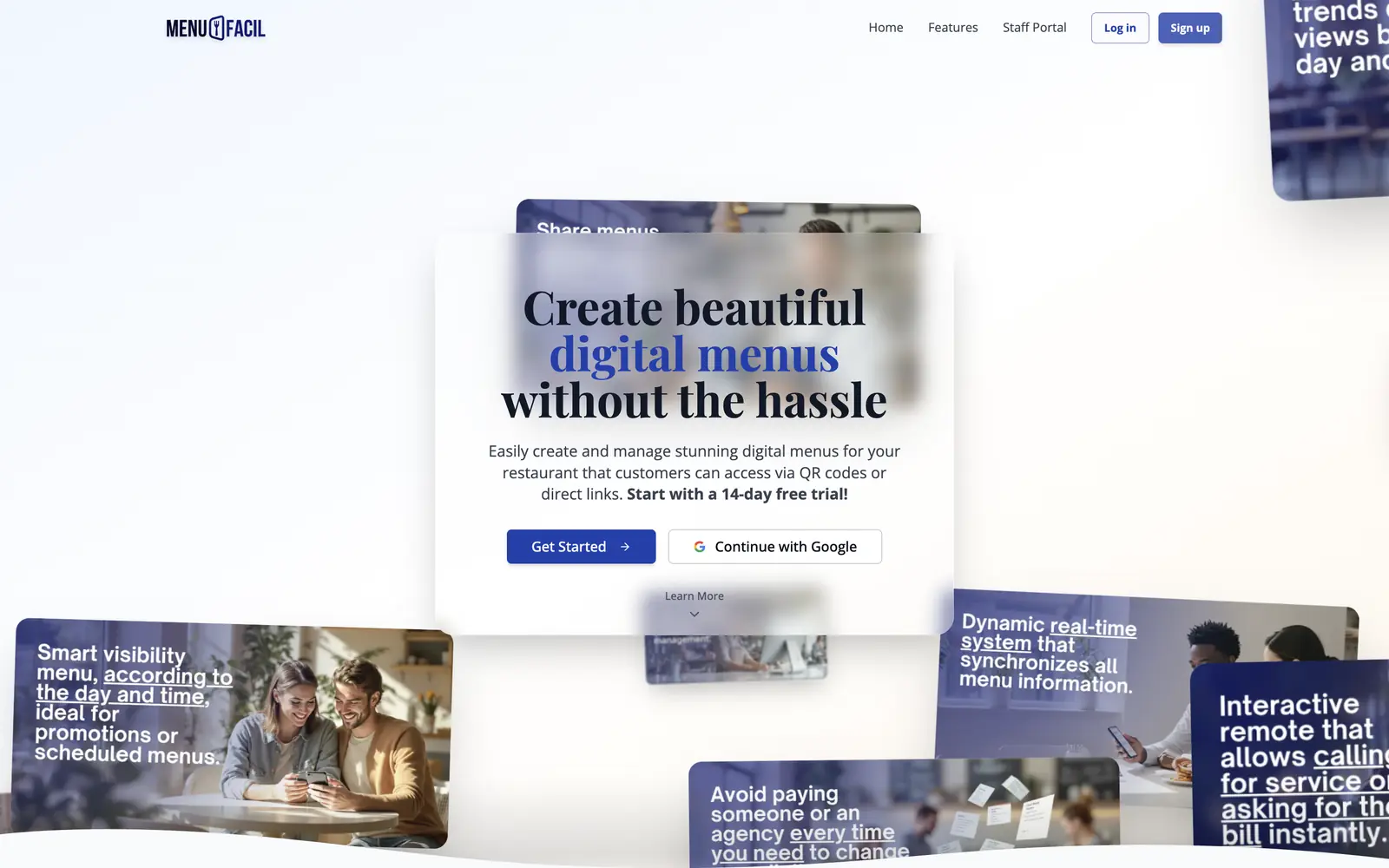
A complete SaaS, from the pricing page to recurring billing: a QR digital menu, call-the-waiter, reviews, in-venue screens and a dashboard per restaurant, with pricing and currency that change with the visitor's country.
02 The shift
- A printed menu does not change when a price does
- A sold-out dish is explained table by table
- Calling the waiter means raising a hand and waiting
- The owner edits and the menu publishes at once
- Sold-out items are marked with one tap
- The table calls from the phone and staff see it live
03 How it works
Sign up
With Google or email, and a guide leads to the first restaurant.
Build the menu
Categories, dishes, photos and colors, with a live phone preview.
Print the QR codes
A branded code for every table, ready to download.
The diner scans
Sees the menu, joins the WiFi and calls the waiter, installing nothing.
What sets it apart
Pricing that follows the visitor's country
The country is detected at the network edge and decides the currency of prices and of the charge. It is built to fail open: if location does not answer, the visitor still gets in.
Billing by slots, not by tiers
The owner buys slots and each slot activates one restaurant. The model survives free trials, discounts, two currencies and complimentary accounts.
A dashboard that stays live
Updates arrive in real time without dropping related data, and the session recovers when a tab wakes after hours idle.
Built to watch its costs
Several features degrade gracefully when a paid tier of some service is not available. Unusual, and defensible in a subscription product.
05 Scope
- Subscription SaaS product
- Menu editor and branded QR codes
- Public menu with nothing to install
- Real-time call-the-waiter
- Recurring billing in two currencies
- Per-restaurant dashboard and staff accounts
- Reviews and analytics
- In-venue screens
The long versionFor whoever wants the full technical detail.
What we built
MenuFacil is a product, not a custom project: any restaurant signs up, builds its menu and publishes it without talking to anyone. That means building everything a SaaS needs around the idea: a public site, sign-up with Google, guided onboarding, a free trial, recurring billing, a billing portal and support.
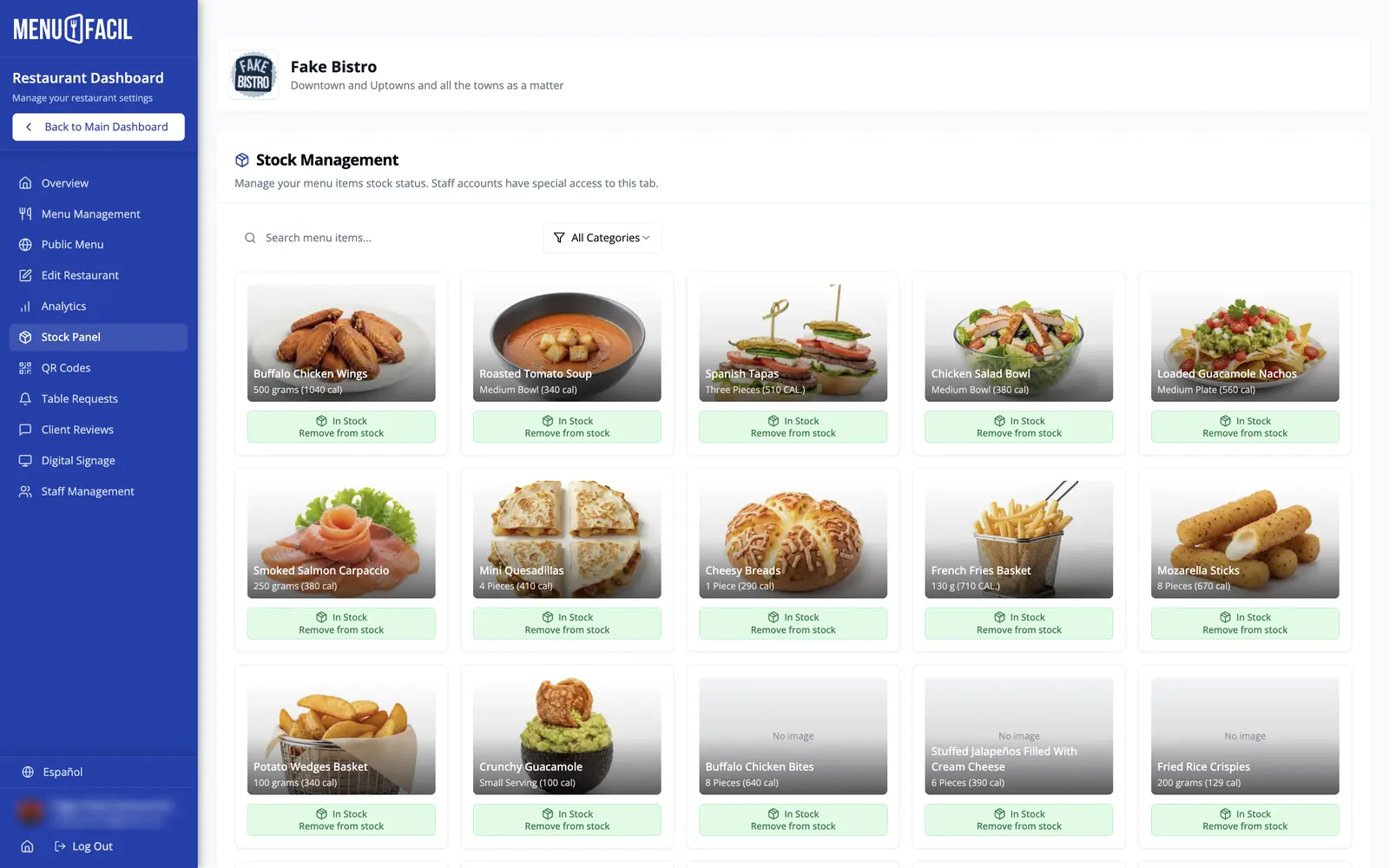
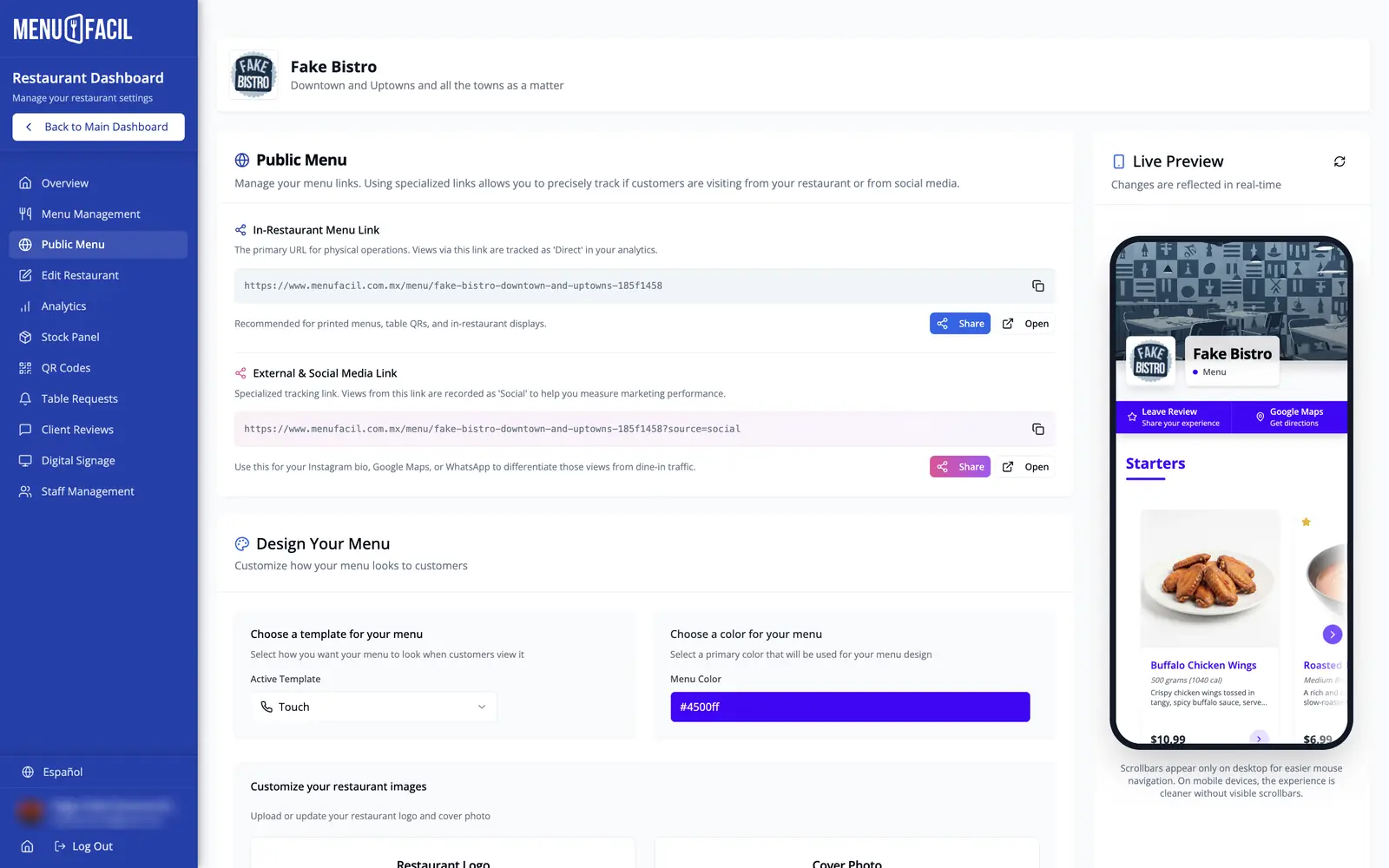
The owner runs each restaurant from its own dashboard: categories and dishes with images and drag-and-drop ordering, a board to mark what has run out, branded QR codes for every table, the menu's template and colors with a live phone preview, analytics, reviews and accounts for their staff, who sign in with their own credentials to a limited view.
The diner installs nothing and creates no account. They scan, see the menu, open a dish, join the WiFi with another scan, call the waiter or ask for the bill, and leave a review. On the other side, the request appears on the staff screen at once. The same content feeds screens for the venue, in landscape and in portrait.
Technical story
The most particular piece is the commercial layer, which changes with where the visitor comes from. The country is detected at the network edge, because the browser cannot read that information, and that one signal decides the currency of the prices, the currency of the charge and which fiscal features are shown. A piece like that is a single point of failure, so it was built to fail open: if one location source does not answer the next is asked, and if none answers the visitor gets in anyway. The interface was restructured so it never changes shape when the region resolves mid-session.
Billing is by quantity, not by tiers: the owner buys slots, and each slot activates one restaurant. That model has to survive free trials, discounts, two currencies, dates shown correctly in each person's time zone, complimentary accounts that the payment processor's notifications must skip, and a race condition in invoice status. It is harder, and more distinctive, than the menu editor.
The dashboard stays live in real time: updates are merged into the data already loaded without dropping related information, and the session recovers when a tab wakes up after hours idle. The platform's admin panel is a separate application inside the same codebase, isolated from the main app's providers, tracking and cookies.
Several features were designed to degrade gracefully when a paid tier of some service is not available, such as image transformation or geolocation: an unusual and defensible choice for a product that watches its costs. Access to every record is decided by role in the database, with roles in a table of their own, never on the profile.
Has your operation outgrown spreadsheets?
Tell us how you sell, quote and serve today. We'll tell you what we would build, and in what order.